For cars whose screen runs Android

One app turns your Android head unit into a whole dashboard of things to do

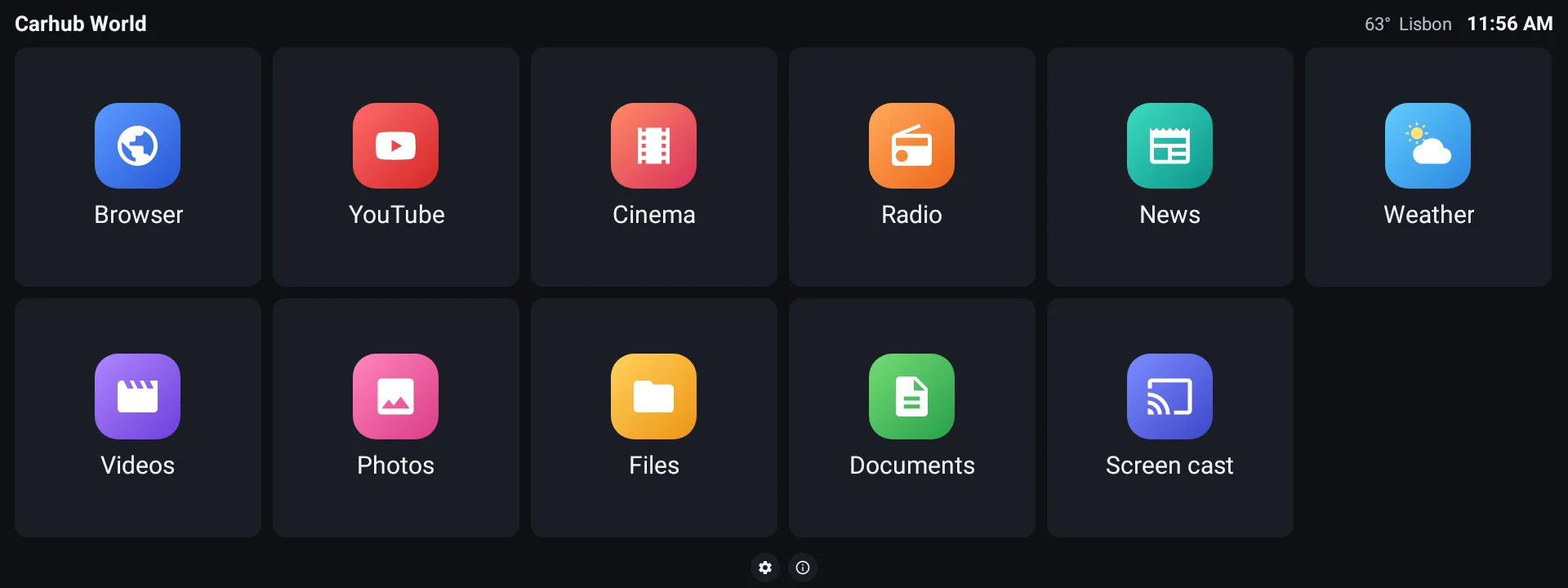
Carhub World puts a browser, YouTube, radio, world news, weather, your own videos and files, and your phone’s screen behind eleven big tiles made for a wide car display. Made for the minutes you spend parked.

See what’s inside

One-time payment · APK download · Android 8+ head units · Not for use while driving

Eleven tiles, one screen

Everything your head unit should have come with

Most Android head units ship with a launcher and little else. Carhub World is a single app that opens full screen in landscape, with large touch targets and the unit’s own keyboard.

  • Browser

    A full web browser with real touch and the head unit's own keyboard. Favourites, desktop mode, and it reopens your last page.

  • YouTube

    Home, topics, search and your history, then a full-screen player with ±30 s, fit or fill, and quality.

  • Cinema

    Save the video sites you use. They open inside the app, and an HLS or DASH stream plays in the native full-screen player.

  • Radio

    Stations from your country first, then international broadcasters and the world's most popular. Keeps playing while you use other tiles.

  • News

    Headlines from Google News, BBC, CNN, DW, France 24 and Al Jazeera, in the one of 24 languages you choose.

  • Weather

    Now and the next days for where the car is, or a city you pick. °C or °F, km/h or mph, set by region or by you.

  • Videos

    Videos on the head unit and on USB sticks it indexes, by folder. The player remembers where you stopped.

  • Photos

    Your pictures in a thumbnail grid, with pinch to zoom, swipe, and a slideshow.

  • Files

    Browse chosen folders and storage volumes, USB sticks included.

  • Documents

    Every PDF under your chosen folders, in a viewer with pinch zoom.

  • Screen cast

    Show your Android phone's screen on the car display with the Parkcast companion app, over Wi-Fi or the phone's hotspot.

  • Plus Settings

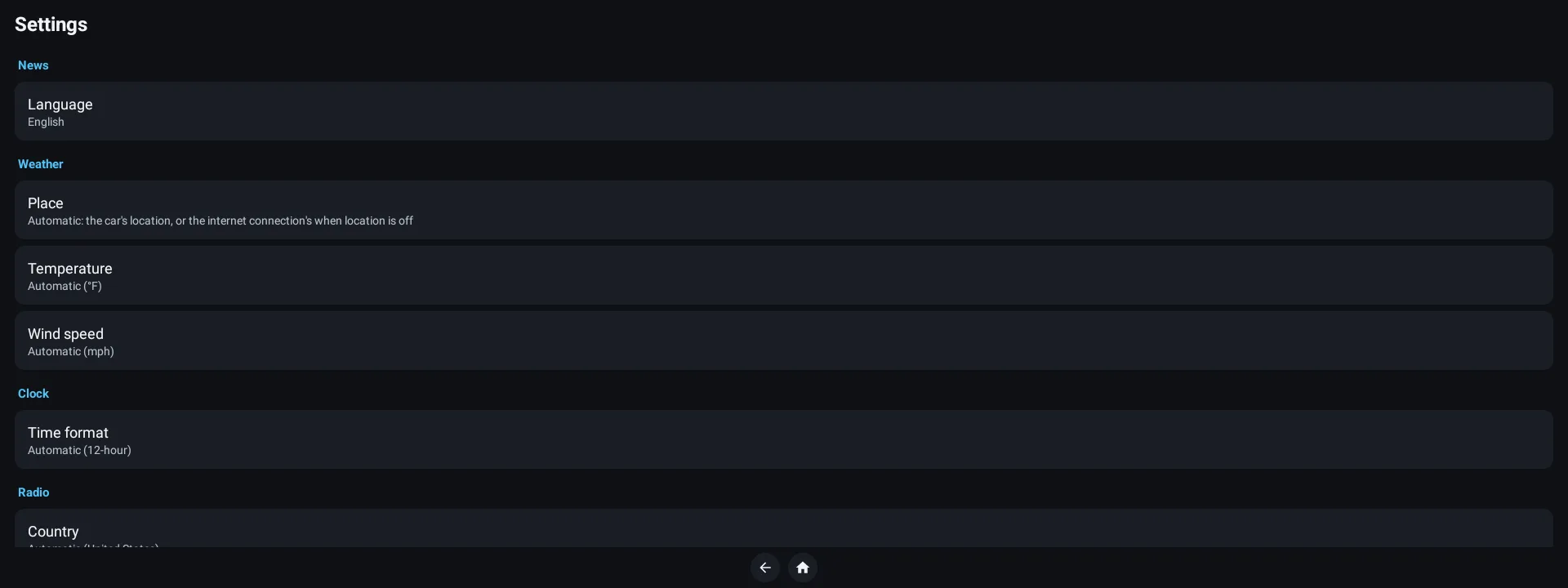
    News language, weather place, units, 12 or 24-hour clock and radio country, all in one page.

Real screens

This is the app, not a mock-up

Screenshots of Carhub World 1.0.1 at a 1920 × 720 head-unit screen.

Carhub World home screen on a wide head-unit display: tiles for Browser, YouTube, Cinema, Radio, News, Weather, Videos, Photos, Files, Documents and Screen cast, with 63° Lisbon and the time in the top bar

Screen cast

Cast your phone screen to the car head unit

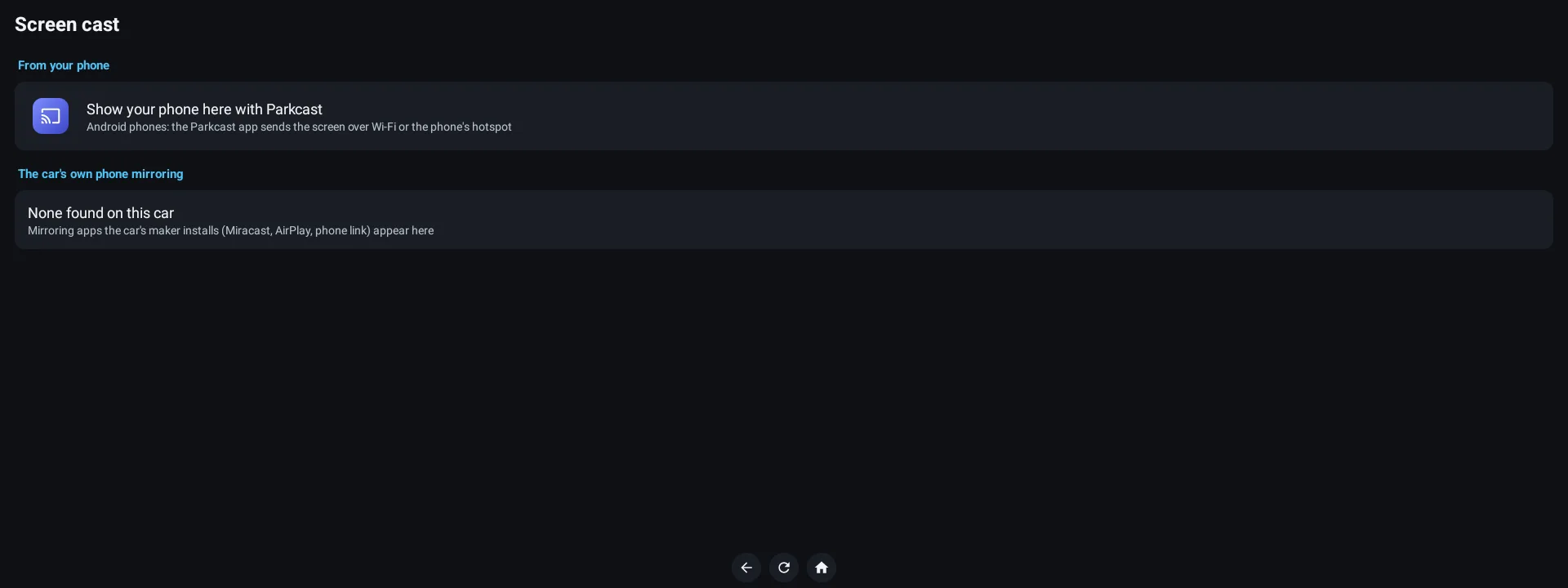
Open Screen cast on the car and it shows a 4-digit code. Start the Parkcast companion app on your Android phone, on the same Wi-Fi as the car or with the car on the phone’s hotspot, type the code, and the phone’s screen appears on the car display.

  • Works over Wi-Fi or the phone’s hotspot, no cable
  • The car is found automatically, or by the address on its screen
  • Also lists the mirroring apps your car’s maker installed

Honest limits: view-only (you control the phone), no sound over the cast, one phone at a time, and apps that protect their video show black.

Screen cast page in Carhub World: 'Show your phone here with Parkcast', Android phones send the screen over Wi-Fi or the phone's hotspot, and a list of the car's own phone mirroring apps

News

World news on the car screen, in 24 languages

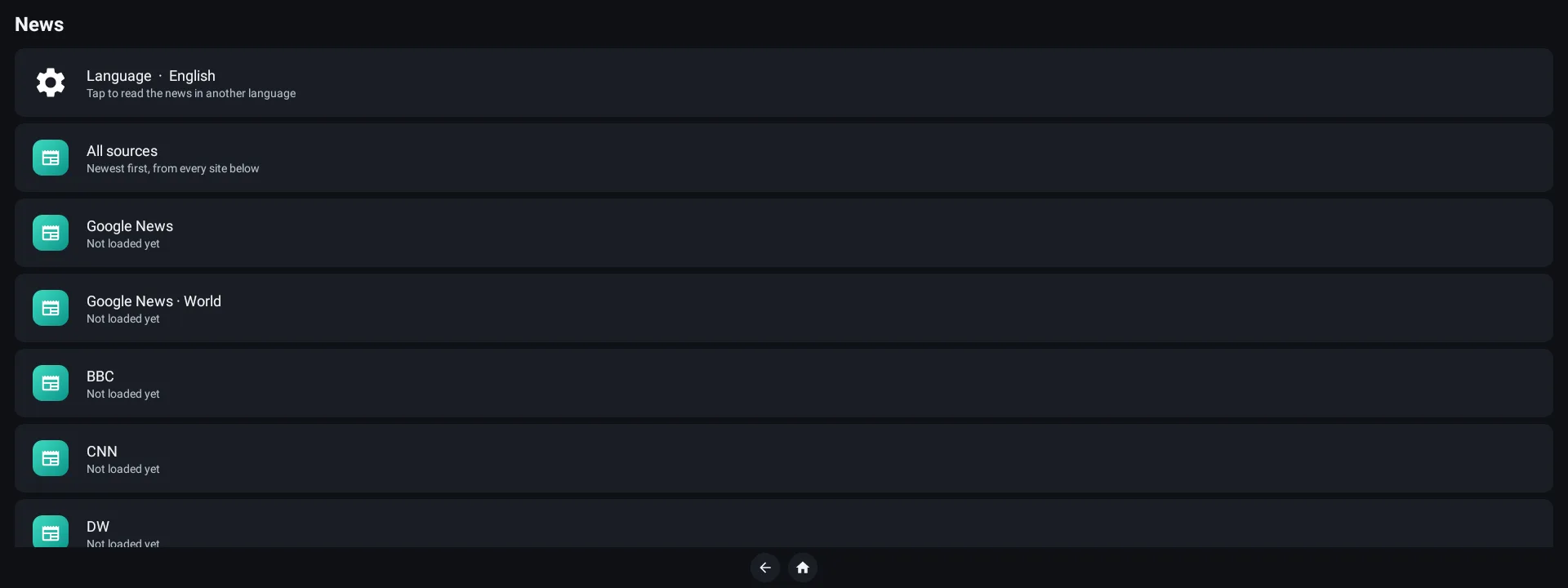
Top stories and world headlines from Google News, plus BBC, CNN, DW, France 24 and Al Jazeera where they publish in your language. Read one source or all of them, newest first. A headline opens in the built-in browser.

The news language starts as your device’s language and can be changed in the first row of News or in Settings.

News page in Carhub World: language set to English, then All sources, Google News, Google News World, BBC, CNN and DW as a list
  • English
  • Français
  • Italiano
  • Русский
  • Polski
  • Svenska
  • Română
  • Ελληνικά
  • العربية
  • हिन्दी
  • Tiếng Việt
  • 日本語
  • Español
  • Deutsch
  • Português
  • Українська
  • Nederlands
  • Čeština
  • Magyar
  • Türkçe
  • עברית
  • Bahasa Indonesia
  • 中文
  • 한국어

Weather

Weather and units that follow the car

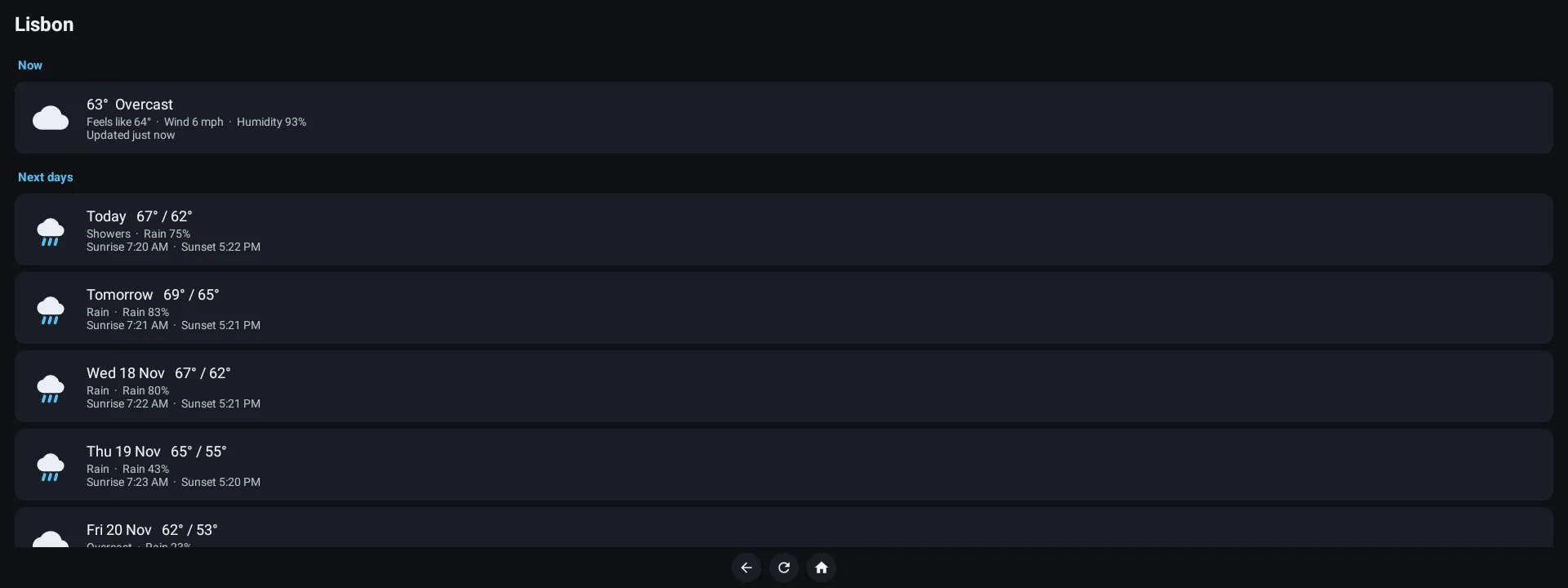
Now and the next days for where the car is. With location off it uses the place of the internet connection, or you choose a city. Temperatures come in °F and wind in mph where people use them, °C and km/h elsewhere, and the clock follows the device’s 12 or 24-hour setting. Each can be fixed in Settings.

Weather page in Carhub World for Lisbon: 63° overcast now, feels like 64°, wind 6 mph, humidity 93%, then daily forecasts with rain chance, sunrise and sunset

Radio and Settings

Radio that keeps playing, settings in one page

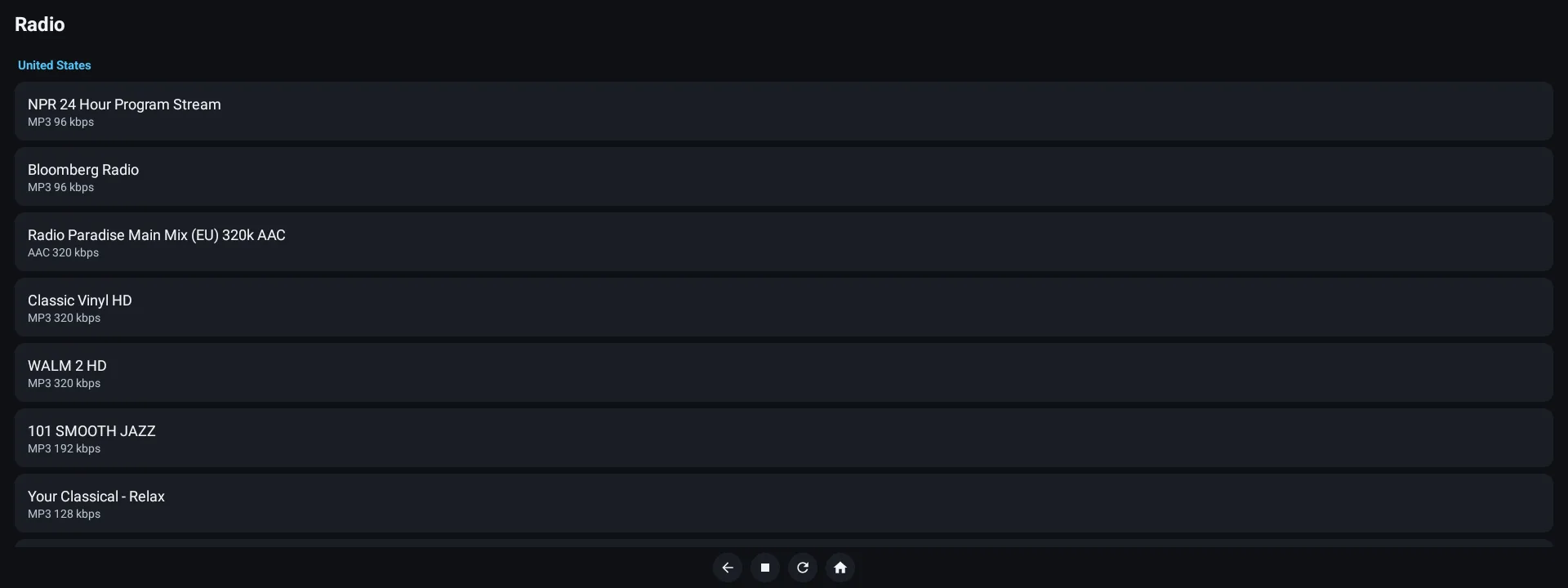
Radio lists stations for your country, then international broadcasters such as BBC World Service, NPR, RFI and Bloomberg, then the most popular stations worldwide. Playback continues while you use other tiles, until you press Stop.

Radio page in Carhub World: a list of stations for the United States with their format and bitrate, and Back, Stop, Refresh and Hub buttons
Settings page in Carhub World: news language, weather place, temperature and wind speed units, time format and radio country

Install

How to install the APK on an Android head unit

You get one file, carhub-world-1.0.1.apk (4.9 MB). There are two usual ways to put it on the unit.

A From a USB stick

  1. Download the APK on a computer or phone and copy it to a USB stick.
  2. Plug the stick into the car and open the file with the head unit’s file manager.
  3. If Android asks, allow installing apps from that file manager, then confirm the install.
  4. Open Carhub World from the unit’s app list.

B With adb from a laptop

  1. Turn on Developer options and USB or wireless debugging on the head unit.
  2. Connect the laptop to the unit (USB, or the same Wi-Fi).
  3. Run the command below and wait for Success.
adb install -r carhub-world-1.0.1.apk

What you need

  • Android 8.0 or newer on the head unit itself
  • A landscape screen (the app always runs in landscape)
  • A way to install an APK: a file manager or adb
  • Internet on the unit for the online tiles
  • An Android phone with Parkcast, only for screen cast

Head units differ a lot, and some makers block installing apps. Carhub World has been tested on Android emulators at head-unit screen shapes and is not certified for particular car models. It is not an Android Auto or CarPlay app.

Not for use while driving

Do not use Carhub World while driving. Watching video or operating the screen while the car is moving is dangerous and may be against the law where you drive. Use it only when the car is parked. You use the app at your own risk.

The app shows a notice when a video plays while the car is moving, but it does not stop playback. The driver is responsible.

Get Carhub World

$14.99 one-time payment

Secure checkout by Polar, the merchant of record. Taxes are added where they apply. By buying you accept the Terms and the Refund policy.

  • The Carhub World APK, version 1.0.1
  • All eleven tiles and Settings, no subscription
  • Download again later with your order, newer versions included
  • No account on this site, no ads in the app

Already bought it? Download again.

FAQ

Honest answers before you buy

What is Carhub World?

An Android app for cars whose head unit runs Android itself. It puts a browser, YouTube, your own video sites, radio, news, weather, your videos, photos, files and PDF documents, and phone screen cast behind one grid of large tiles made for a wide car screen.

Will it work on my car?

It needs a head unit that runs Android 8.0 or newer itself, has a landscape screen, and lets you install apps from an APK file (from a USB stick or with adb). It is not an Android Auto or CarPlay app. It has been tested on Android emulators at head-unit screen shapes, not yet certified on specific car models, so we do not publish a list of supported cars. If it does not run on your unit, see the refund policy.

Is it safe to use while driving?

No. Do not use Carhub World while driving. It is meant for when the car is parked: waiting, charging, a break on a long trip. When the car moves faster than walking pace and a video is playing, the app shows a notice that watching video while driving is not safe, but it does not stop playback, so the responsibility is yours. You use the app at your own risk.

Which languages does it speak?

The app's own interface (tile names, buttons, messages) is in English. News can be read in 24 languages, and the browser opens Google in your device's language. YouTube's lists are in English.

How does screen cast work, and what are its limits?

Open Screen cast on the car, then start the Parkcast app on an Android phone that is on the same Wi-Fi as the car (or put the car on the phone's hotspot) and type the 4-digit code from the car's screen. The phone's screen appears on the car display. It is view-only: you control things on the phone. Sound is not carried and stays on the phone's own output. One phone at a time. Apps that protect their video show black. The tile also lists any phone-mirroring apps your car's maker already installed.

Can I watch Netflix, Disney+ or other protected services?

The native player does not support DRM-protected services. Such a service can only play inside its own web page, if your head unit's browser engine allows it. Carhub World does not remove or bypass any protection.

Does it need an internet connection?

Browser, YouTube, Cinema, Radio, News, Weather and their updates need the head unit to be online, for example through the car's SIM, Wi-Fi or your phone's hotspot. Videos, Photos, Files and Documents work with what is stored on the unit or a USB stick.

How do I get the file after paying?

After the payment you return to this site, and the download button for the APK appears once the order is confirmed. Keep the order ID shown there. Later you can download again, including newer versions, from the Download page with your email and that order ID, or the invoice number from your receipt.

Is it on Google Play?

It is not listed publicly on Google Play. It is sold here as an APK file that you install yourself.

Is Carhub World connected to YouTube, Google, the BBC or the other names mentioned?

No. Carhub World is an independent app. YouTube, Google News, BBC, CNN, DW, France 24, Al Jazeera, NPR and the other names belong to their owners and are mentioned only to say what you can open. Their content comes from their own public services and stays subject to their terms.